Call Now!
(720) 253-0133

Lynx Output Manager


Aellius LynX Output Manager™ is an application that manages report outputs from JD Edwards EnterpriseOne®. This software allows its administrator(s) to define who gets to see which reports and consolidates all reports from all servers into an easy-to-use application. Functions include archiving, printing, emailing, command processing, and formatting. This software eliminates the need for users to log in to the EnterpriseOne application (Work with Submitted Jobs) to view and share reports.

Track Report Submissions

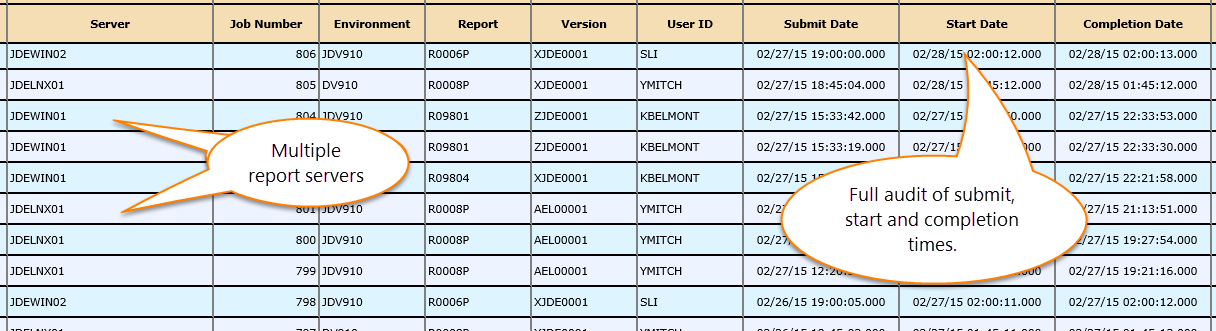
LynX Output Manager monitors your EnterpriseOne servers and maintains a repository of submitted jobs from all your EnterpriseOne servers. Report submissions are tracked from a web-based console. This information can be used for Performance Analysis, Auditing, and SOX compliance. The system keeps track of the following job attributes:

  • Report
  • Version
  • Job Number
  • Environment
  • Origination Host
  • User ID
  • Submission Time
  • Start Time (Oh, yeah!!!)
  • Completion Time

Output Management

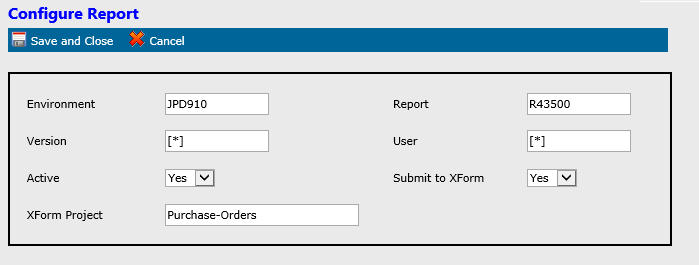
LynX Output Manager allows the administrator to determine how output should be managed. The administrator first defines a set of submitted job records based on the following criteria:

  • Environment
  • Report
  • Version
  • User ID

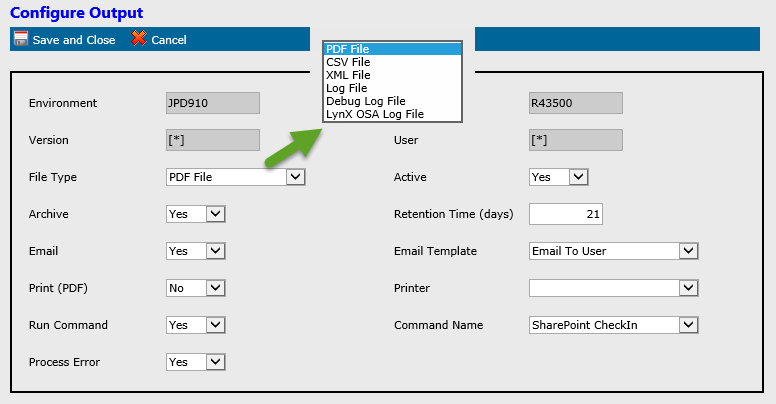
Once these records are set up, the administrator may prescribe one or more actions for these output types:

  • PDF
  • CSV
  • OSA (XML)
  • Log (jde.log)
  • Debug Log (jdedebug.log)
LynX Output Manager Screenshot

Archive, Email, Print

LynX Output Manager can perform the following tasks on the supported output types:

  • Archive (with a set number of retention days)
  • Email (to the user who submitted the job and/or to a distribution group)
  • Print
  • Run a command
  • Submit XML (OSA) outputs to Aellius XForm (Aellius XForm creates, archives, prints, and delivers formatted documents)
LynX Output Manager Screenshot

Secure and Share

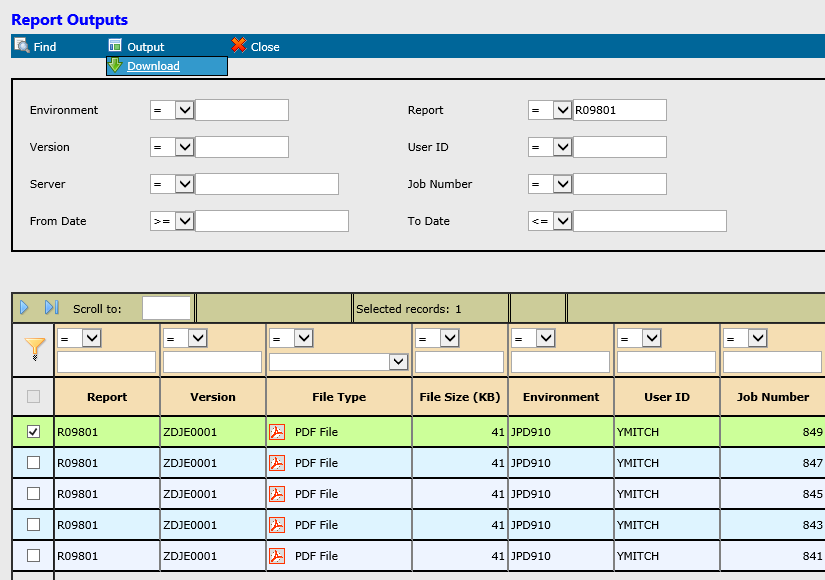
For security reasons, JDE users are usually allowed to access only their own outputs. By tying in with Microsoft Active Directory, LynX Output Manager can be configured to grant access to other users based on Report and Version. This allows you to share and access reports securely without logging into EnterpriseOne.

LynX Output Manager Screenshot

Supported EnterpriseOne Releases

LynX Output Manager is supported on the following EnterpriseOne releases:

  • Xe, 8.0
  • 8.9, 8.10, 8.11, 8.12, 9.0

Your Business is Unique

As we strive to streamline applications, simplify end-user processes, and catalyze cost effectiveness, we defy “cookie cutter” software solutions. Rather, we know that each business has unique requirements and we feel that the software should adapt to the business and not the other way around.

Our Mission

To get it right the first time. We are committed to researching and implementing the very best solution(s), tailored to each customer’s unique business needs. 100% customer satisfaction is our ultimate goal.